by OpenAI

GPT Image 2.5 Image Generator

Describe a picture or edit up to 16 of your images, and get it back at up to 4K.

  • Up to 4K
  • Transparent backgrounds
  • Edit up to 16 images

0 / 20,000

Try
Aspect ratio
Resolution
Background
Cost 15 credits

Sign up free to generate. New accounts get free credits, and your settings stay as they are.

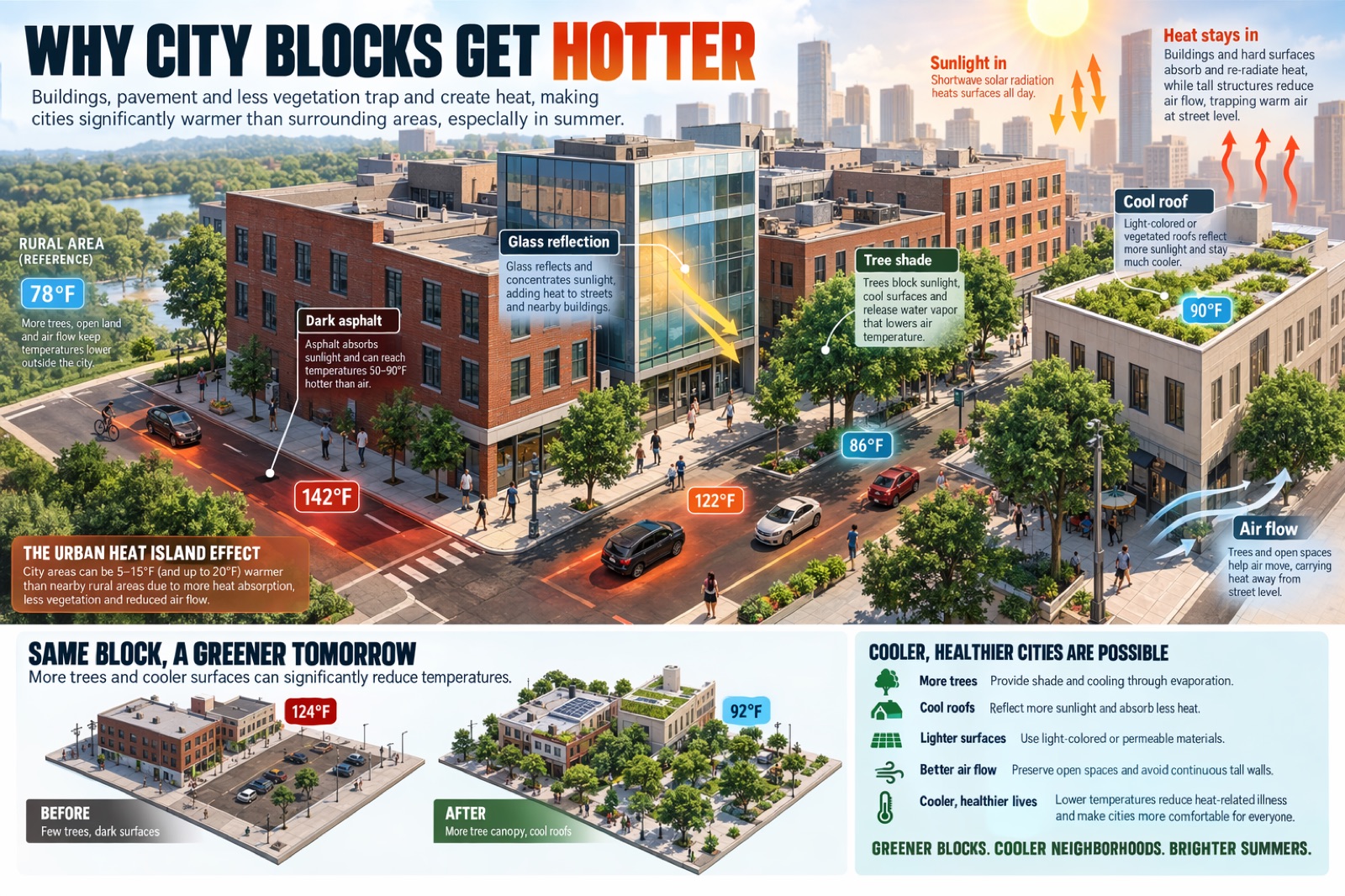
Use case: infographic-diagram. Create a polished editorial infographic explaining an urban heat island in a summer city block. Combine a semi-realistic isometric street cutaway with labeled overlays, arrows, temperature callouts, and a small before/after tree canopy comparison. Exact title text: "WHY CITY BLOCKS GET HOTTER" Include readable labels: "Dark asphalt", "Glass reflection", "Tree shade", "Cool roof", "Air flow". Palette: warm asphalt reds and oranges balanced by cool greens and blues. Style: magazine science graphic, highly organized, accurate spatial relationships, no logos, no watermark.
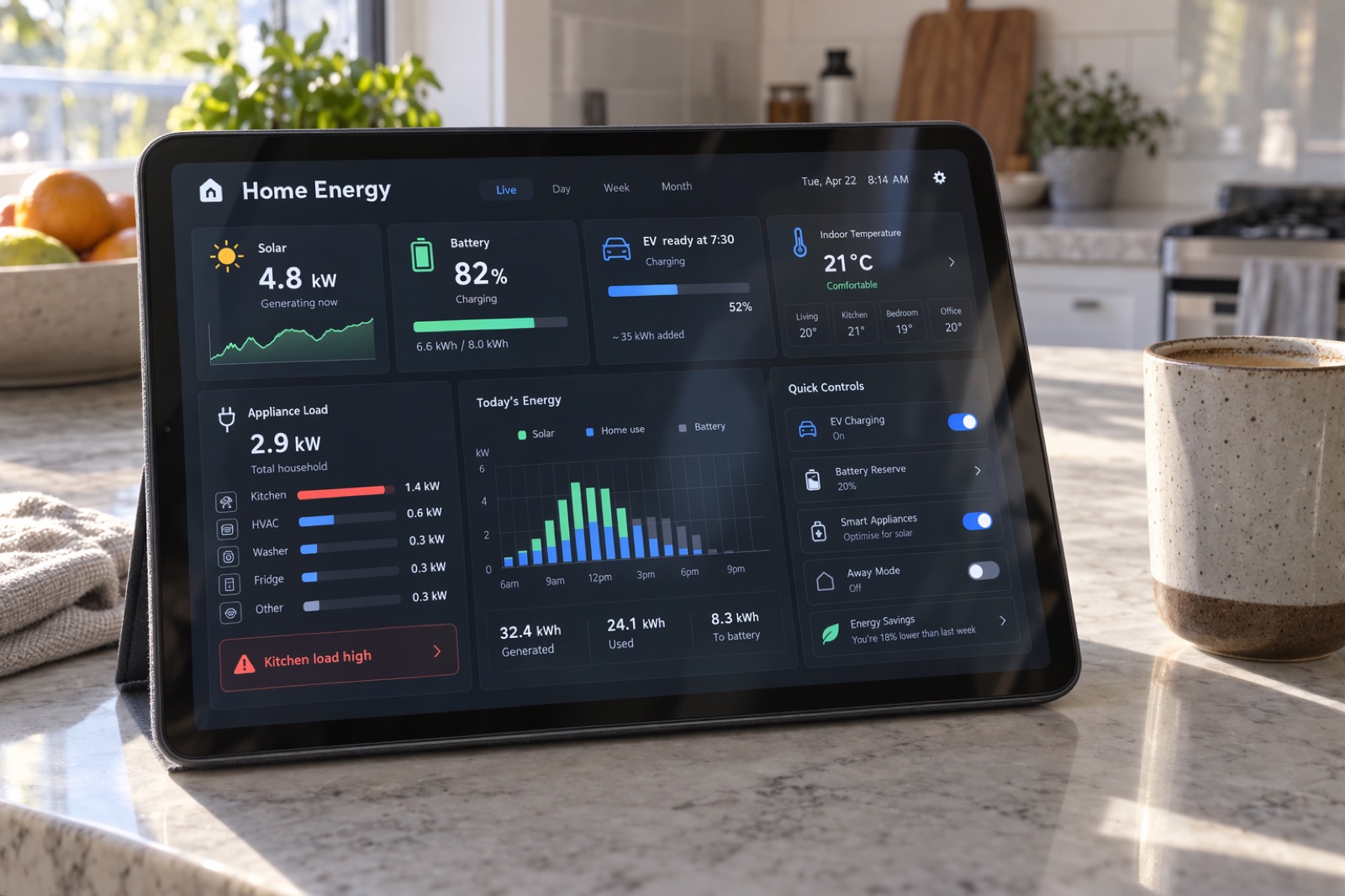
Use case: ui-mockup. Render a crisp tablet interface for a smart home energy dashboard on a kitchen counter, with dense controls that still feel shippable. Include panels for solar generation, battery storage, EV charging, room temperature, appliance load, and a small hourly chart. Exact UI labels: "Home Energy" "Solar 4.8 kW" "Battery 82%" "EV ready at 7:30" "Kitchen load high" Visual style: modern product UI, compact cards, legible typography, realistic glass glare, no decorative clutter. Scene: morning kitchen light, coffee cup beside tablet, believable perspective. No brand logos or watermark.
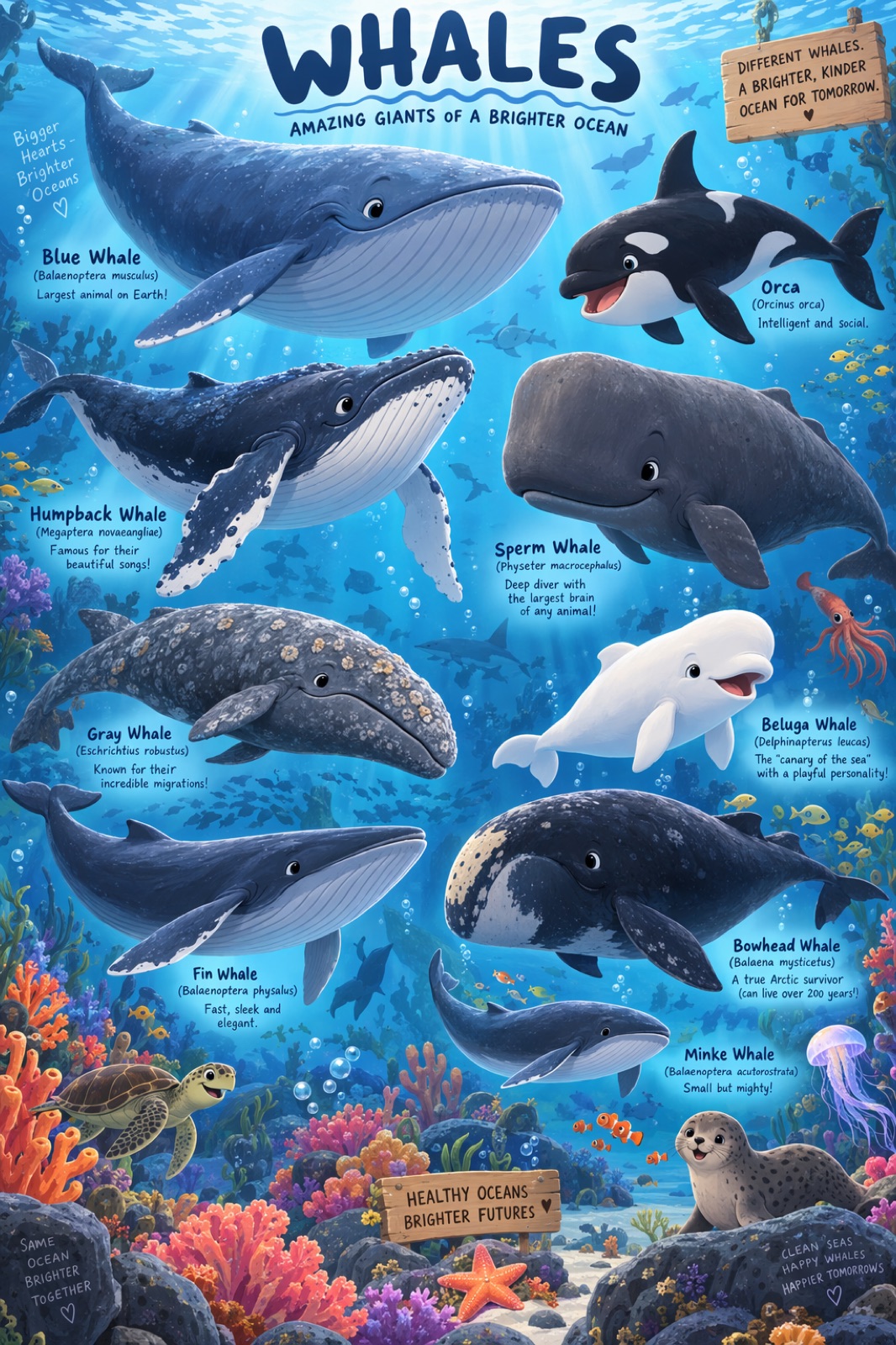
Create a cute, visually engaging educational poster featuring illustrations of a bunch of different whale species under the ocean. Clearly label each whale type with its name, and include playful underwater details like bubbles, coral, fish and other sea creatures. Use a friendly cute animation style evoking a classic animated movie.
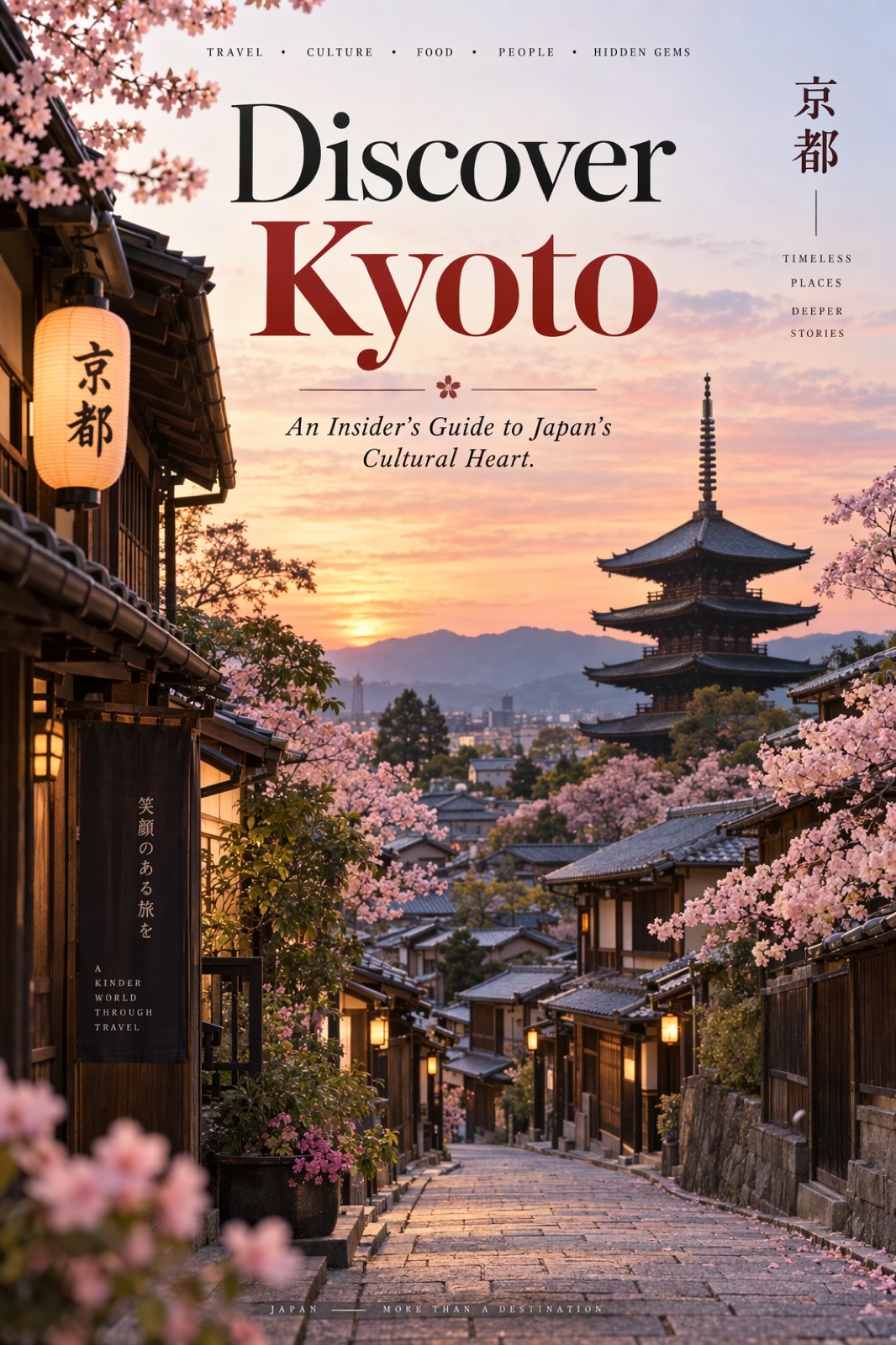
Create an aesthetically compelling, inviting cover for a travel guide titled "Discover Kyoto." Visually highlight iconic and culturally distinctive elements of Kyoto, such as serene temples, traditional wooden buildings, cherry blossoms, or a pagoda silhouette. Incorporate a sophisticated yet inviting color palette. Clearly display the title "Discover Kyoto" prominently, with subtle typography featuring the tagline: "An Insider’s Guide to Japan's Cultural Heart."

GPT Image 2.5 examples

Examples published by the model’s maker.

Urban Heat Island Infographic

Urban Heat Island Infographic

An editorial isometric street cutaway with labeled overlays and temperature callouts explaining why city blocks get hotter. Generated with gpt-image-2.5-sunburst (quality: max) per the official gallery.

InfographicText RenderingEducation
Smart Home Energy Dashboard

Smart Home Energy Dashboard

A tablet UI mockup on a kitchen counter showing solar, battery, EV charging and appliance-load panels with exact labels. Generated with gpt-image-2.5-sunburst (quality: max) per the official gallery.

UI DesignProductMockup
Whale Species Poster

Whale Species Poster

A cute animated-style educational poster of labeled whale species in a coral-filled ocean scene. Generated with gpt-image-2.5-sunburst (quality: max) per the official gallery.

PosterIllustrationEducation
Discover Kyoto Travel Cover

Discover Kyoto Travel Cover

A travel guide cover with temples, cherry blossoms and the title and tagline set in clean typography. Generated with gpt-image-2.5-sunburst (quality: max) per the official gallery.

PosterTravelText Rendering
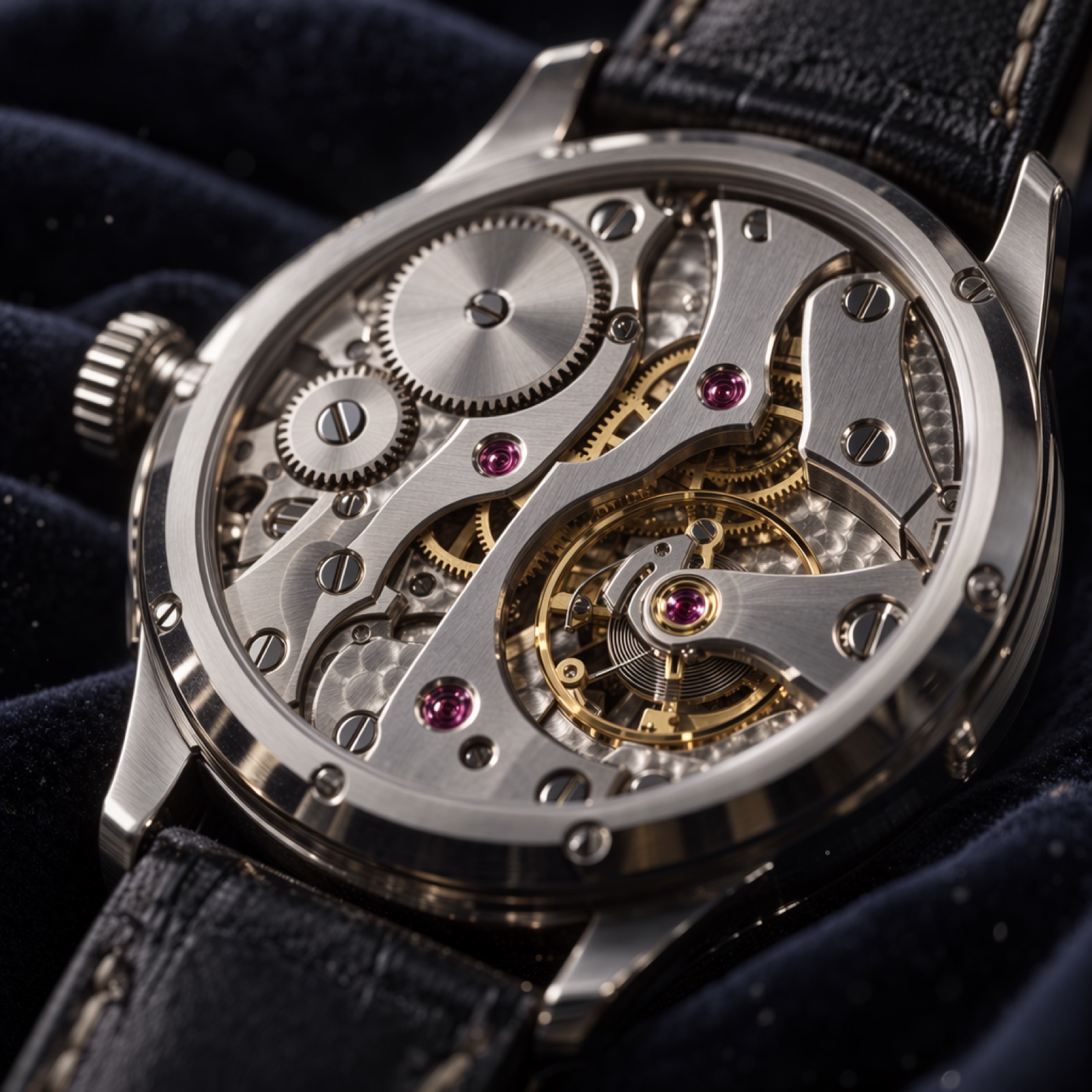
Watch Movement Macro

Watch Movement Macro

A macro product shot of an exposed watch movement with gears and rubies on dark velvet, with no brand marks. Generated with gpt-image-2.5-sunburst (quality: max) per the official gallery.

ProductPhotography
Cookbook Spread Mockup

Cookbook Spread Mockup

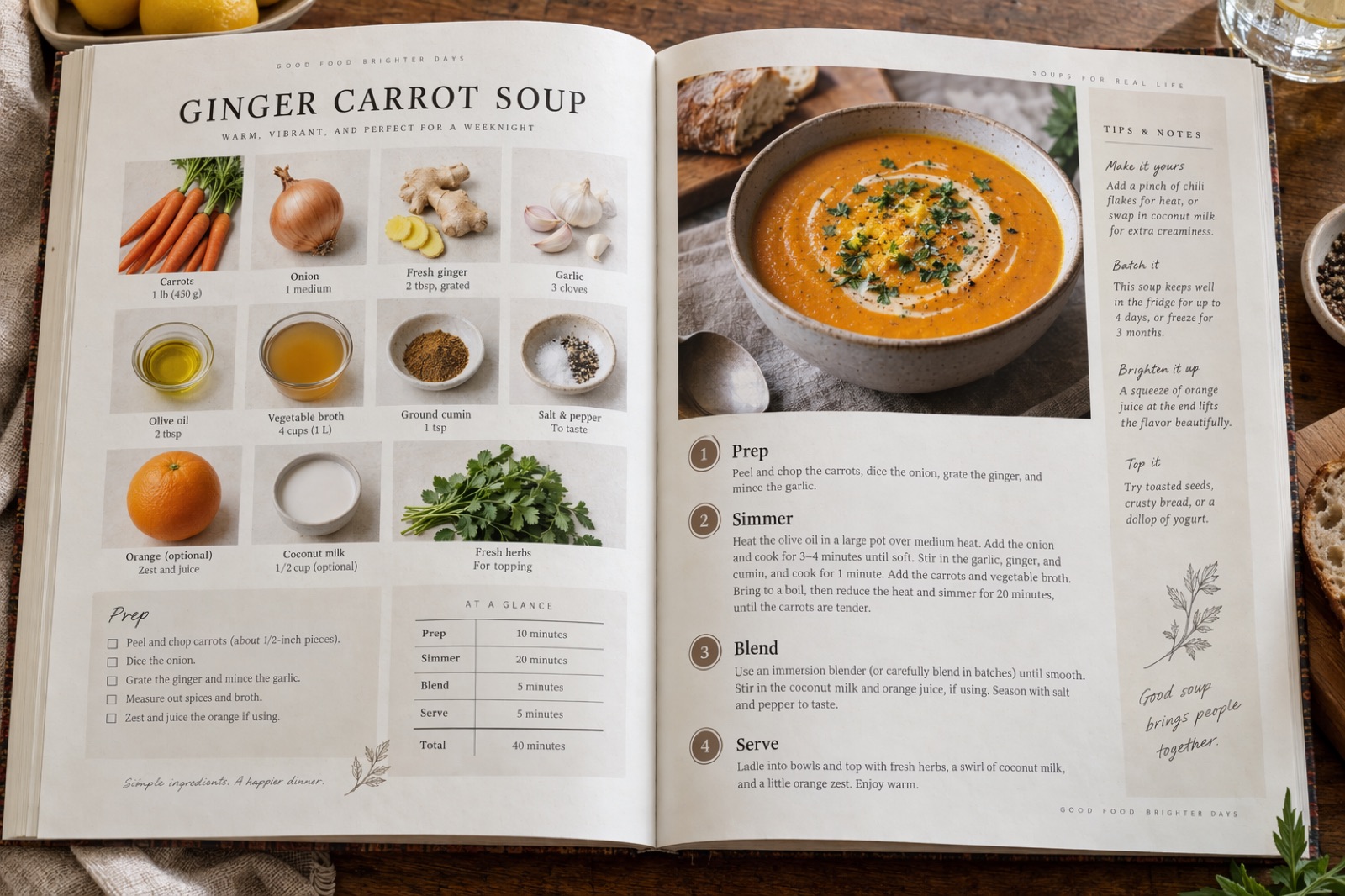
An open cookbook spread for a ginger carrot soup recipe with photo grid, method steps and readable section labels. Generated with gpt-image-2.5-sunburst (quality: max) per the official gallery.

EditorialLayoutMockup

Why use GPT Image 2.5

Text that reads

Posters, menus, invitations and infographics with legible type.

Edit your images

Upload up to 16 images and describe the change.

Transparent background

Get PNG cut-outs for stickers, product shots and design assets.

Up to 4K

Draft at 1K, finish at 2K or 4K.

13 aspect ratios

From square to 21:9 banners and 9:16 stories, or automatic.

GPT Image 2.5 settings on lovideo

The basics are on the form above; everything else the model supports is under More settings.

Ways to start

Text to image · Edit images

Resolution

1K, 2K, 4K

Aspect ratios

auto, 1:1, 3:2, 2:3, 4:3, 3:4, 16:9, 9:16, 21:9 and more

Background

Transparent, opaque or auto

Editing

Up to 16 input images

GPT Image 2.5 FAQ

What is GPT Image 2.5?

GPT Image 2.5 is an image generation and editing model from OpenAI, good at readable text, layouts and product-style images.

Can I try GPT Image 2.5 for free?

Yes. New accounts get free credits at sign-up, enough to try a generation. You can see every setting and the cost before you sign in.

How much does GPT Image 2.5 cost on lovideo?

The cost in credits appears next to the Generate button and changes with the settings you pick. You pay for what the model actually used, and a generation that fails is not charged. New accounts get free credits to try it.

Do I need an API key or any setup to use GPT Image 2.5?

No. lovideo runs GPT Image 2.5 for you in the browser. Sign in, type a prompt and press Generate; there are no keys, code or installs.

Can I animate the image afterwards?

Yes. Download it and use it as the first frame on a video model page such as Seedance 2.5, or press “Start a film” to build a whole video from your prompt.

Generate the shot. Make the whole film.

Try GPT Image 2.5 on a single prompt, then let lovideo turn it into a video with voiceover, subtitles and music.

Start a film

Other models